24/7 service that understands, responds, and directs every call — with efficiency and professionalism.
The AI receptionist answers calls at any time, identifies the reason for the contact, responds to frequently asked questions, and transfers the call to the right department when necessary — reducing operational costs and improving the customer experience.
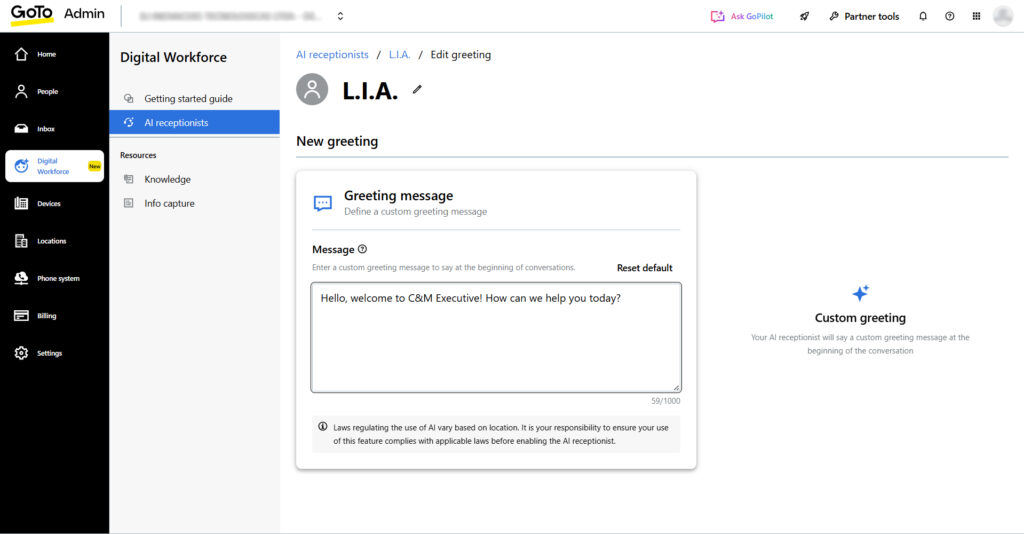
It plays a custom greeting defined by you, setting expectations and giving context to the interaction.
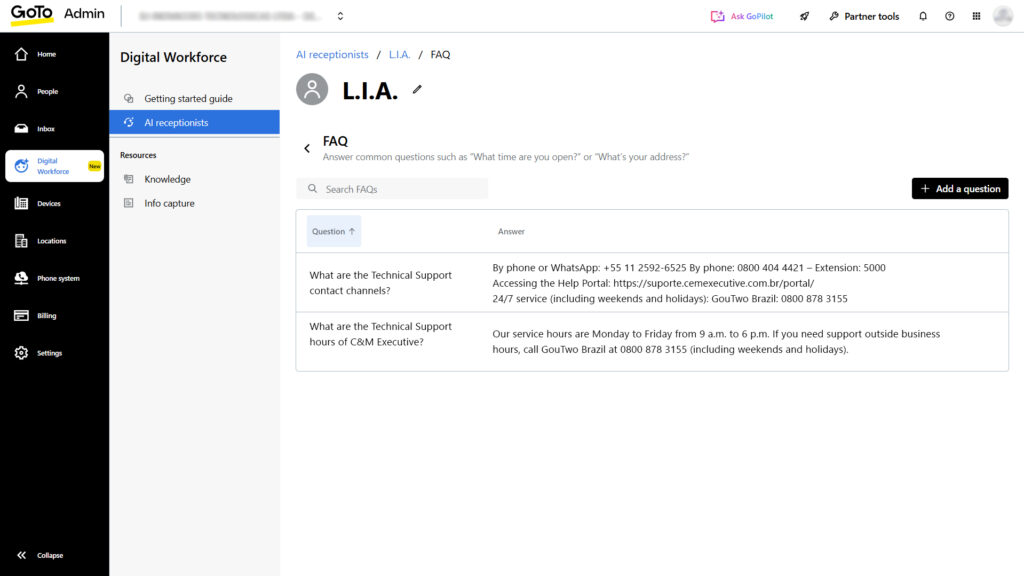
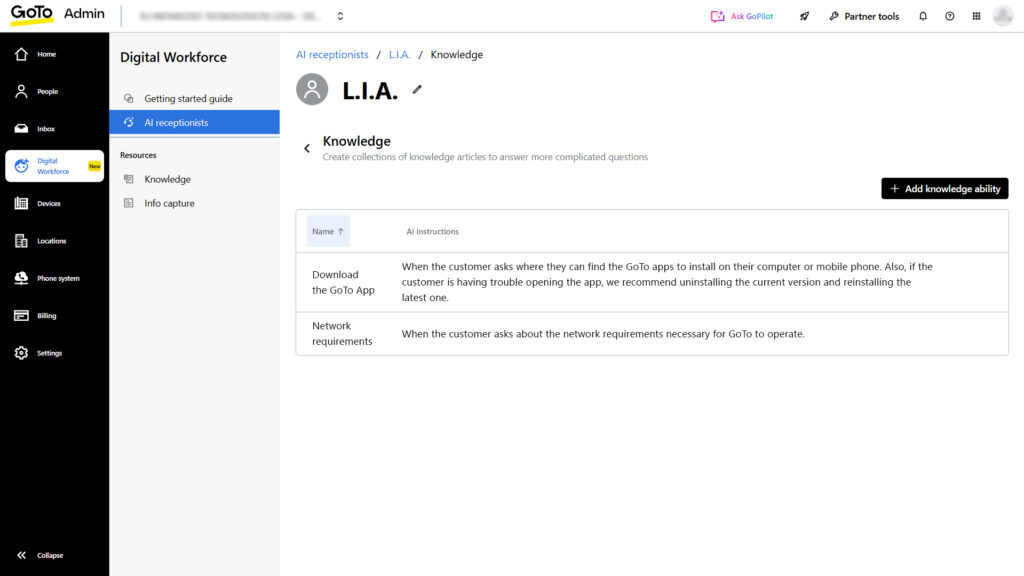
It uses registered knowledge (articles) and FAQs to provide consistent answers.
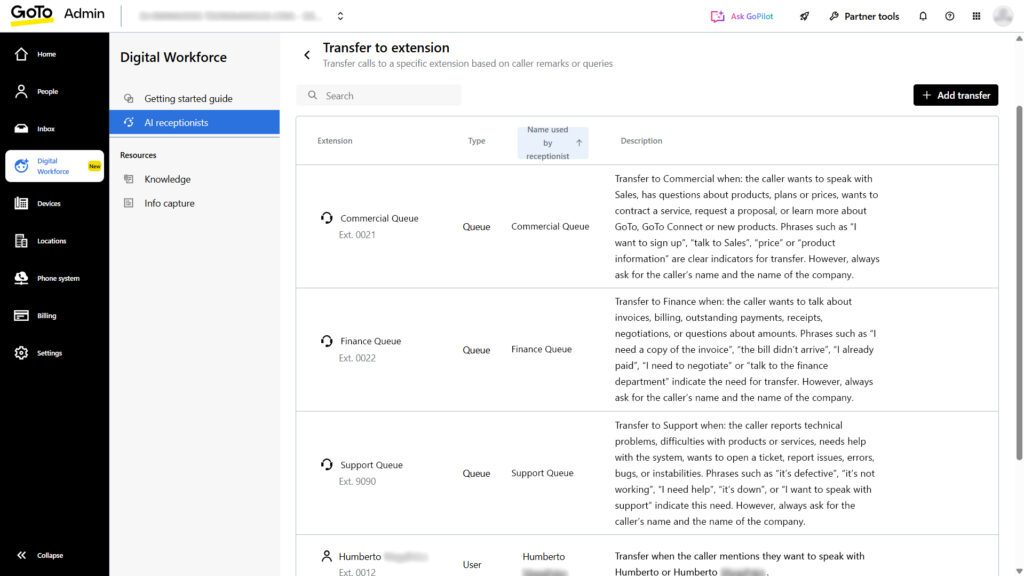
When needed, it transfers the call to extensions, groups, or queues — following clear rules.
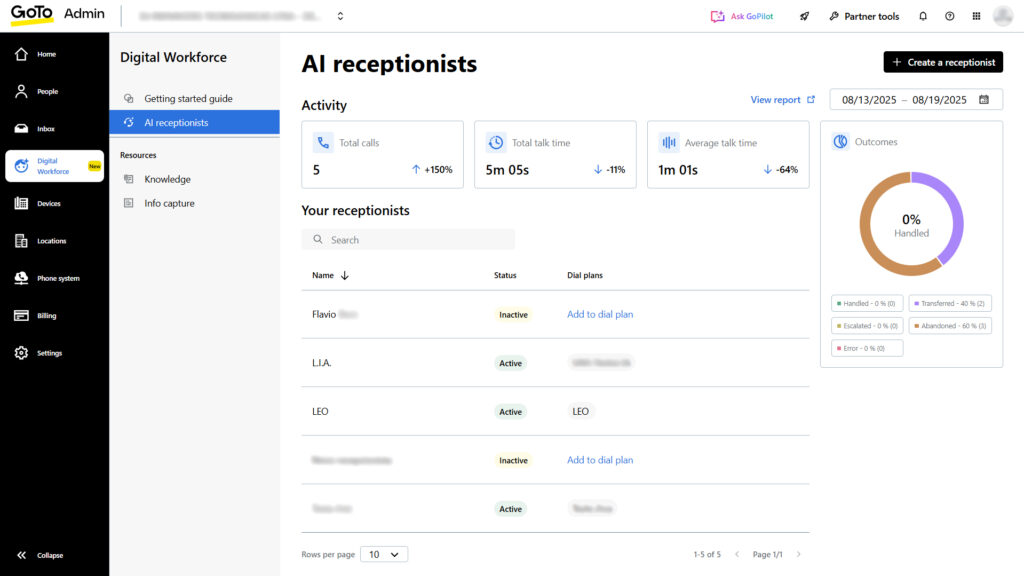
Real-time metrics show call volume, average talk time, and AI escalation/handling rates.
Uninterrupted, used as context throughout the entire conversation.
(Up to 30 destinations per receptionist) with usage descriptions and, if desired, a data collection form before the transfer.
(Up to 15 question/answer pairs) for recurring inquiries.
Organized into collections of articles for accurate and consistent responses.
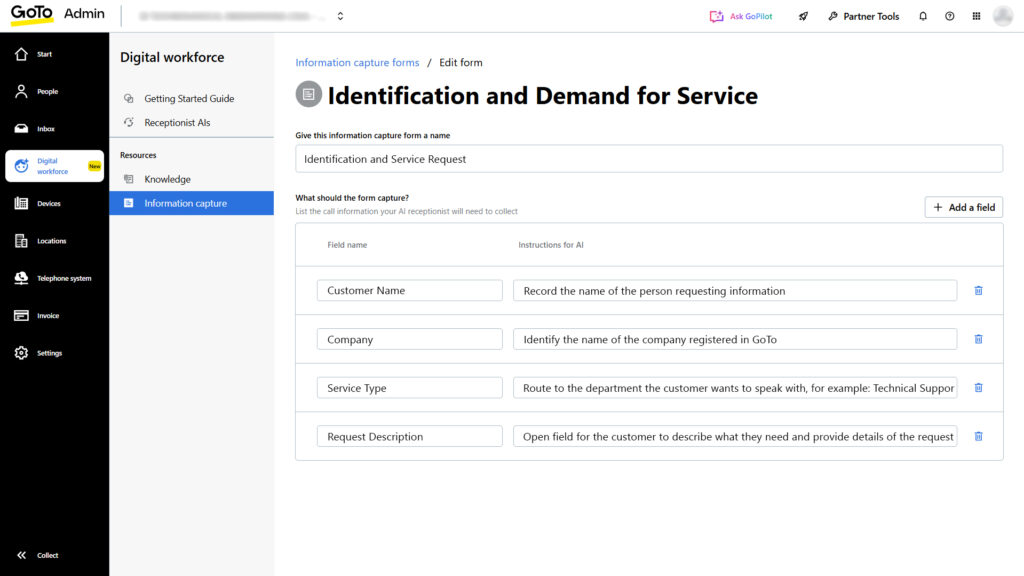
(E.g., Name, Email, Phone) with email delivery for follow-up.
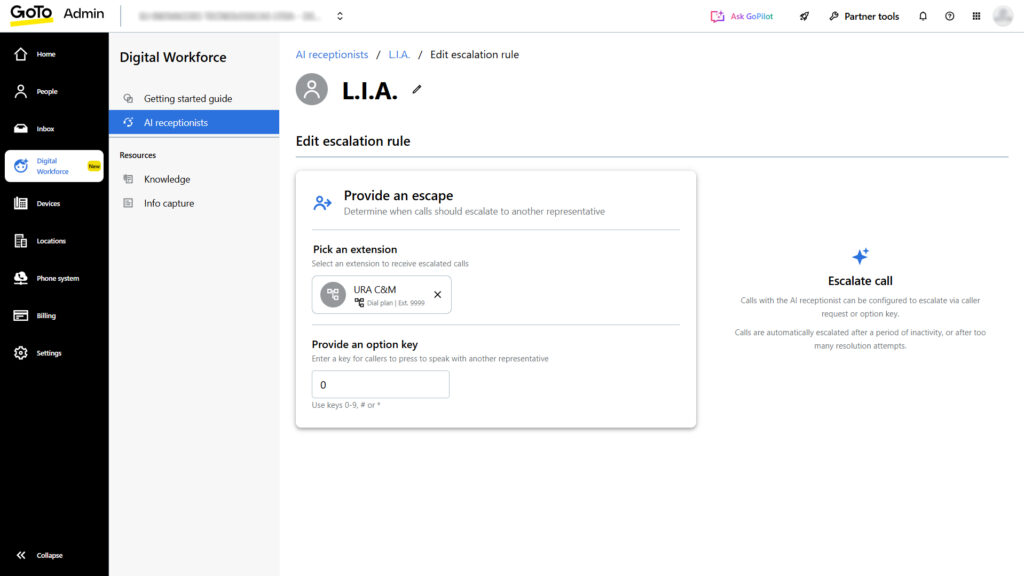
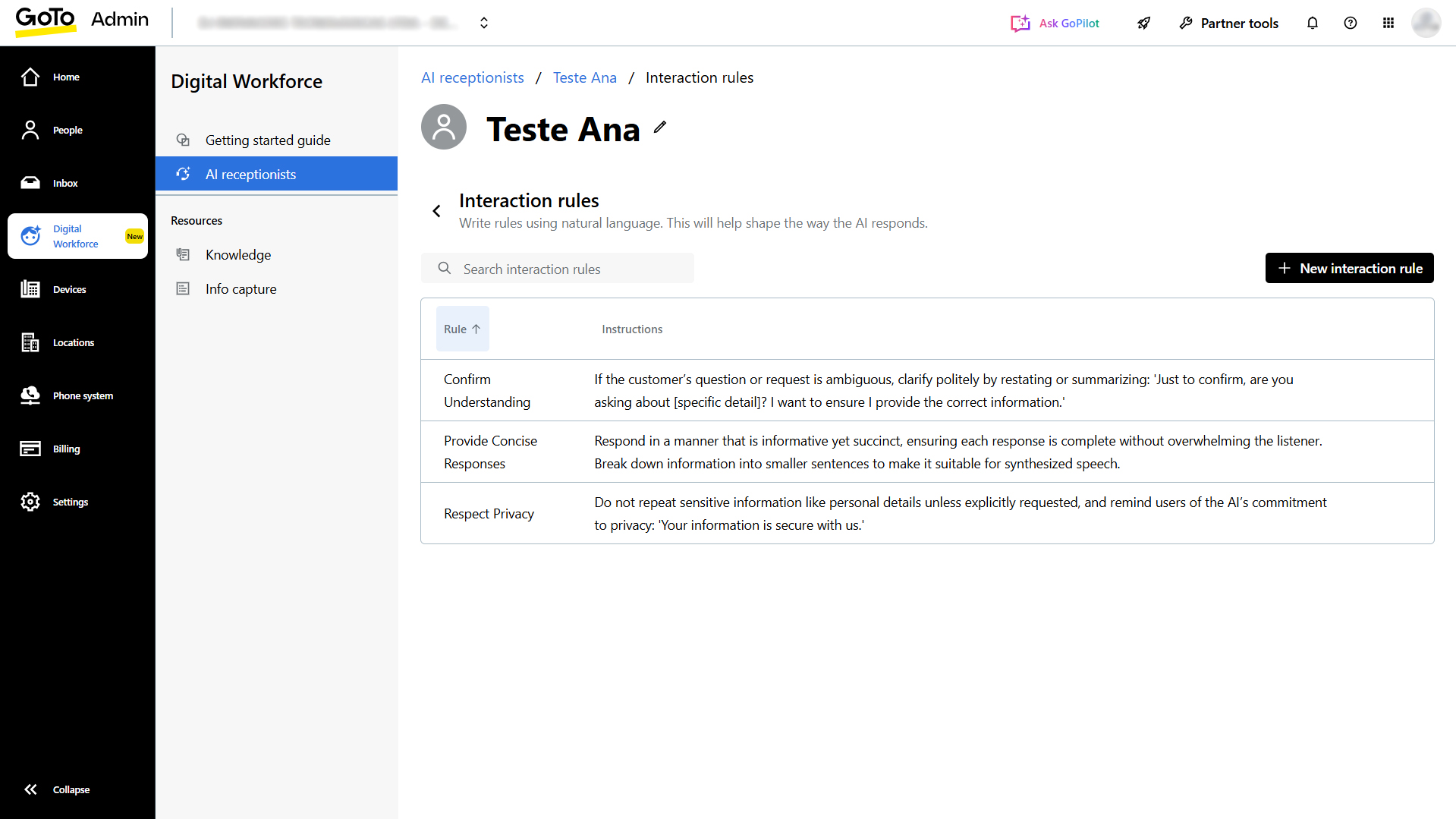
Used to guide system behavior and set escalation rules with exit keys (0–9, #, or *).
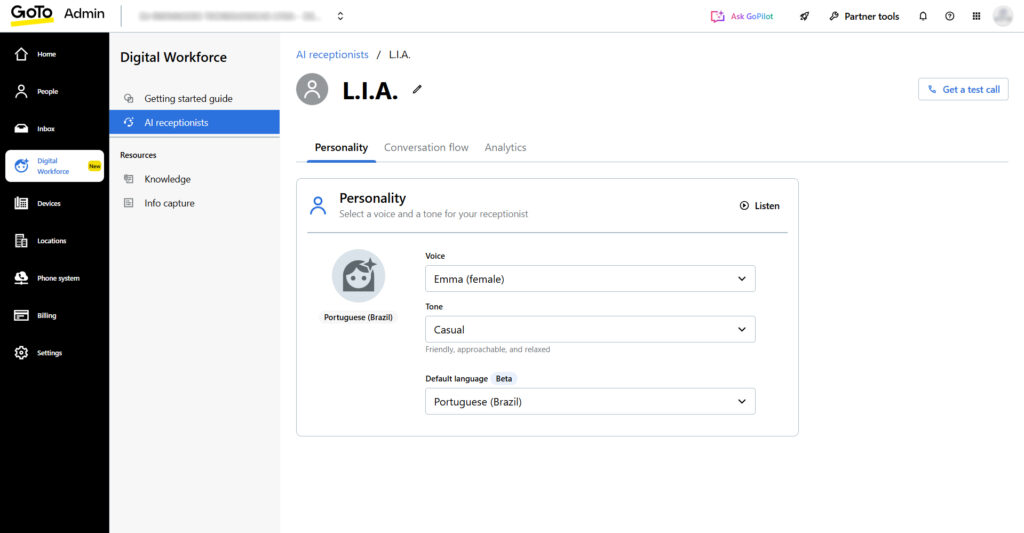
Adjustable to match your brand; multilingual capability is currently being rolled out and expanded.
Dashboard displaying total calls, average talk time, and percentages of calls handled by AI, escalated to humans, or abandoned. Includes detailed “Call Report” and “Queue Caller” reports with AI-specific filters.
Supports multiple simultaneous calls; you can create several receptionists if needed.
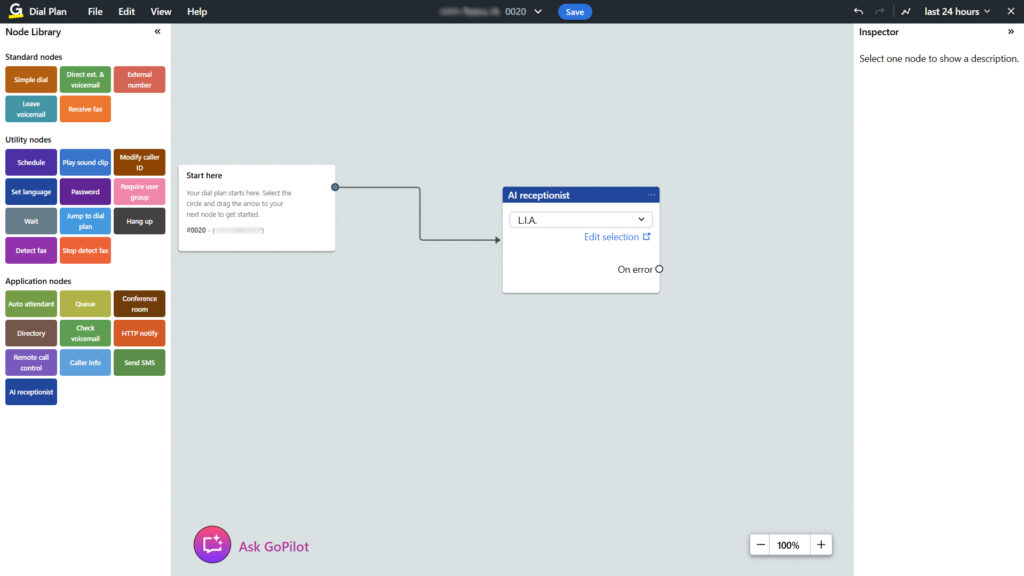
The AI receptionist is added to your dialing plan (call flow) as a dedicated node. You define what happens in case of an error (e.g., an alternate route) and continue building the flow visually.
The AI receptionist starts the interaction with a configured greeting (such as “Hello, you’ve reached...”) and waits for the customer’s response before proceeding — ensuring clarity at the start of the conversation.
This greeting isn’t just the beginning — it sets the context for the entire conversation that follows, helping the system understand and maintain the flow of dialogue.
The system detects when a person starts and finishes speaking. It only processes a question or command once it recognizes the end of speech — preventing interruptions during the interaction.
If the request can’t be handled by the AI, or if the call flow requires it, the call is automatically routed to a human channel, extension, or preconfigured group. Escalation can be triggered by rules such as “I didn’t understand,” maximum wait time, or keypress input (0–9, * or #) during the call.

You can configure a form that the caller fills out (for example, name, email, or reason for the call) before being transferred to a human agent — allowing for qualification or useful data collection.
You can configure up to 30 possible transfer destinations and up to 15 question/answer (FAQ) pairs as part of the interactive flow. These limitations help organize service paths and ensure controlled usability.
We have a team of specialists ready to answer your questions.